Startups face a critical decision early on: build a native app for each platform or adopt a cross‑platform framework that promises “write once, run everywhere.” The choice influences time‑to‑market, budget, user experience, and long‑term scalability. This guide breaks down the trade‑offs, compares the most popular frameworks—Flutter vs native apps and React Native—and equips founders with actionable criteria to pick the right path.
Why the Decision Matters for Startups
Every dollar and week counts when you’re racing to validate a product. The development approach you select determines:
- Time to MVP: How quickly you can ship a functional prototype.
- Initial capital outlay: Cost of developers, tooling, and third‑party services.
- Performance expectations: Responsiveness, battery usage, and native feature access.
- Future roadmap flexibility: Ability to add platform‑specific features later.
Understanding these levers helps you align technology with business goals rather than letting hype dictate the choice.
Native App Development: The Classic Approach
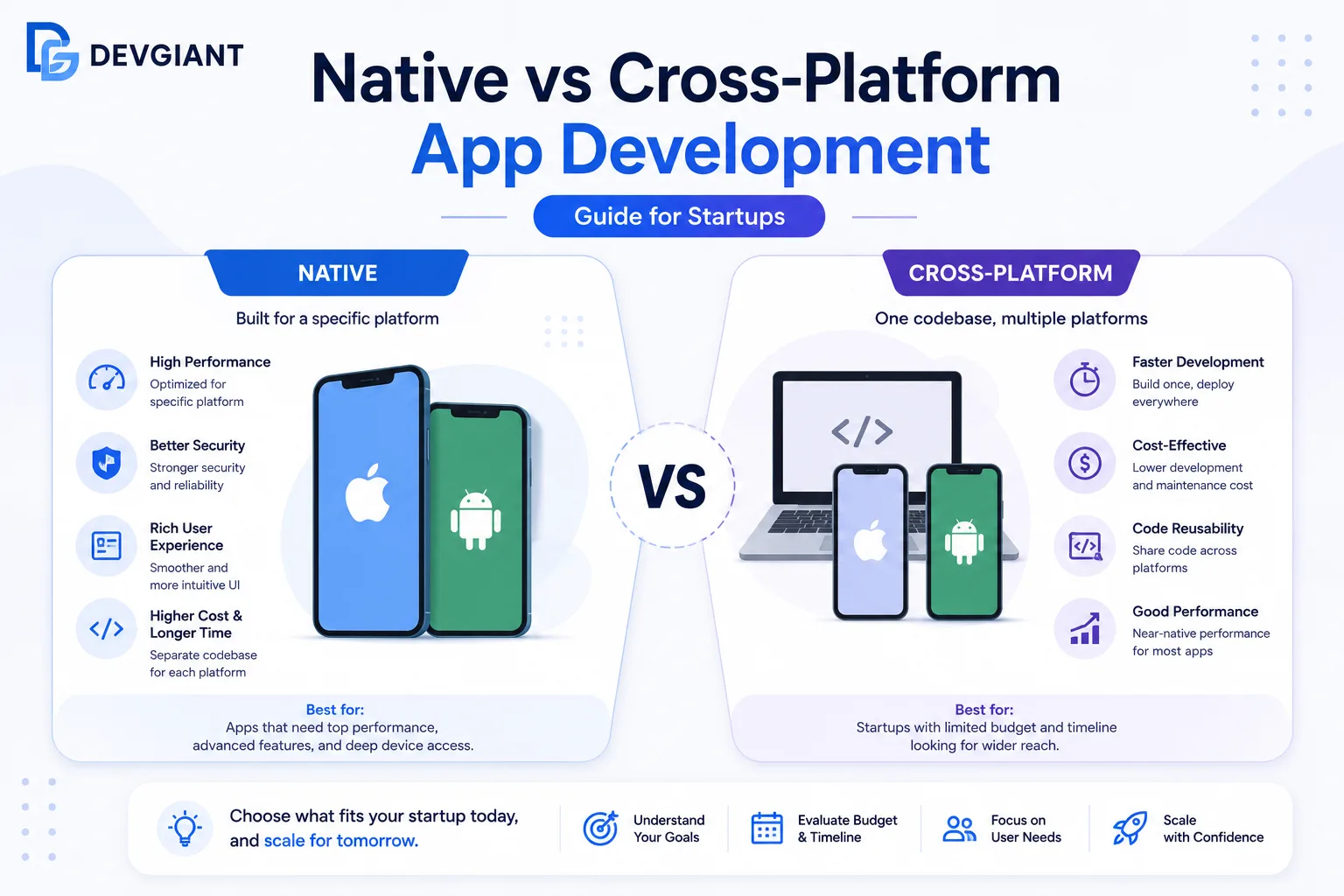
Native development means writing separate codebases for iOS (Swift/Objective‑C) and Android (Kotlin/Java). Each platform gets a UI and logic layer that directly talks to the operating system.
Key Advantages
- Peak performance: Direct access to hardware and OS APIs ensures smooth animations, low latency, and optimal battery consumption.
- Best UI/UX fidelity: Leverages platform‑specific design guidelines (Material Design, Human Interface Guidelines) for a look‑and‑feel that users instinctively trust.
- Full API coverage: Immediate support for new OS features, sensors, and platform‑specific services.
- Robust ecosystem: Mature tooling (Xcode, Android Studio), extensive libraries, and a large talent pool.
Typical Drawbacks for Startups
- Higher development cost: Two codebases double engineering hours.
- Longer time to market: Parallel development streams require coordination and extra QA.
- Maintenance overhead: Bug fixes and feature updates must be replicated across platforms.
Cross‑Platform Development: One Codebase, Multiple Screens
Cross‑platform frameworks compile a single codebase into native binaries or run it in a bridge layer. The two leaders in 2024 are Flutter and React Native. Both promise faster delivery and lower costs, but they differ in architecture, performance, and community support.
Flutter vs Native Apps
Flutter, backed by Google, uses the Dart language and renders its own UI widgets rather than relying on native components. This design choice yields a consistent look across iOS and Android but adds a runtime layer.
Pros
- Rapid UI development: Hot‑reload lets developers see changes instantly, accelerating design iterations.
- Single codebase: One team can ship to both stores, cutting development time by 30‑50% in many cases.
- Customizable UI: Skia‑based rendering enables pixel‑perfect designs without platform constraints.
Cons
- App size: The Flutter engine adds ~10 MB to the binary, which can be a concern for low‑bandwidth markets.
- Native feature gaps: While most APIs are covered, bleeding‑edge platform features may require custom platform channels.
- Learning curve: Dart is less common than JavaScript, meaning hiring may be slightly harder.
React Native Comparison
React Native, created by Facebook, bridges JavaScript code to native UI components. It strikes a middle ground: native look with a shared logic layer.
Pros
- Leverages JavaScript ecosystem: Huge pool of web developers can transition to mobile.
- Native UI components: Uses platform widgets, so the app feels truly native.
- Mature community: Rich set of third‑party libraries and frequent updates.
Cons
- Bridge performance limits: Heavy computation may suffer latency because JavaScript runs in a separate thread.
- Fragmented support: Some native modules require manual linking, leading to occasional version mismatches.
- UI consistency challenges: Slight visual differences between iOS and Android can require platform‑specific tweaks.
Decision Matrix: When to Choose What
Use the following matrix to align your startup’s constraints with the appropriate development strategy.
Scenario 1 – High‑Performance, Feature‑Rich App
- Examples: Gaming, AR/VR, intensive data visualization.
- Recommendation: Native development. The direct hardware access and optimized rendering are essential.
Scenario 2 – Fast MVP for Market Validation
- Examples: Marketplace, SaaS dashboard, social networking prototype.
- Recommendation: Flutter if you need a highly custom UI quickly, or React Native if your team already knows JavaScript.
Scenario 3 – Limited Budget, Broad Audience
- Examples: Content delivery, simple CRUD apps, internal tools.
- Recommendation: React Native for lower development cost and easier hiring, unless you specifically need pixel‑perfect design, in which case Flutter shines.
Scenario 4 – Need for Platform‑Specific Features Soon After Launch
- Examples: Apple Pay, Android biometric authentication, platform‑specific AI APIs.
- Recommendation: Start with native modules inside a cross‑platform shell (e.g., React Native with native modules) or go fully native for the feature‑heavy platform.
Cost Breakdown: Native vs Cross‑Platform
Below is a simplified cost model based on average US hourly rates (2024):
- Native iOS + Android: 2–3 developers per platform → $150‑$200k for a 3‑month MVP.
- Flutter: 2–3 developers total → $90‑$130k for the same scope.
- React Native: 2–3 developers total → $95‑$135k.
These numbers exclude design, QA, and post‑launch maintenance, but they illustrate the potential 30‑40% savings with cross‑platform.
Performance Benchmarks (2024 Data)
| Metric | Native | Flutter | React Native |
|---|---|---|---|
| App launch time | 0.8 s | 1.1 s | 1.2 s |
| Frame rate (steady scroll) | 60 fps | 58‑60 fps | 45‑55 fps |
| Battery impact (per hour) | Low | Medium | Medium‑High |
For most SaaS‑type apps, the performance gap is negligible, especially when you follow best practices (lazy loading, native module off‑loading).
Team & Hiring Considerations
Startups often struggle to attract senior talent. Here’s a quick talent‑availability snapshot:
- iOS/Android native: High demand, premium salaries.
- Flutter: Growing community, moderate salaries, but fewer senior engineers.
- React Native: Large pool of JavaScript developers; easier to hire junior‑mid level.
Factor recruiting speed into your timeline. If you need a team up in two weeks, React Native may be the safest bet.
Future‑Proofing Your Choice
Technology evolves quickly. To protect your investment:
- Adopt a modular architecture: keep UI, business logic, and platform‑specific code separate.
- Write automated tests for core functionality; they are reusable across native and cross‑platform layers.
- Monitor framework roadmaps. Both Flutter and React Native have 2‑year LTS plans, but native SDKs receive updates every 6 months.
Real‑World Case Studies
Case 1 – FinTech Startup (Native)
“SecurePay” needed PCI‑compliant encryption, biometric authentication, and ultra‑low latency for transaction processing. They chose native iOS and Android, investing $180k for a 4‑month MVP. The result: 0.9 s transaction time and a 4‑star rating for performance.
Case 2 – Marketplace Platform (Flutter)
“MarketHub” launched a marketplace MVP in 8 weeks using Flutter. The single codebase allowed them to iterate UI based on user feedback every 48 hours. Development cost was $110k, and they achieved 55 fps on mid‑range devices—acceptable for their target audience.
Case 3 – Social Networking App (React Native)
“ConnectNow” leveraged React Native to reuse their existing web React components. With a team of three JavaScript developers, they shipped to both stores in 10 weeks for $120k. Post‑launch, they added native modules for push notifications without a full rewrite.
How to Start the Evaluation Process
- Define core requirements: List must‑have native features versus nice‑to‑have.
- Set a budget and timeline: Use the cost matrix above to estimate.
- Prototype quickly: Build a low‑fidelity mockup in Flutter or React Native to validate UI/UX.
- Run performance tests: Use real devices to measure launch time and frame rate.
- Consult experts: Our development services can audit your specs and recommend the optimal stack.
Conclusion: Choose with Confidence
There is no one‑size‑fits‑all answer. If your startup’s success hinges on raw performance or platform‑specific capabilities, native development remains the gold standard. If speed, budget, and a unified brand experience are higher priorities, Flutter or React Native will get you to market faster and cheaper.
Ask yourself: What is the minimum viable experience my users need? Answer that, align it with your resources, and you’ll make a data‑driven decision that fuels growth.
Ready to turn your idea into a polished app? Get in touch today, and let’s build the solution that scales with your vision.