Every business owner knows that growth is a race against time, cost, and complexity. The good news? Custom software that automates workflows can turn that race into a sprint. In this guide we’ll explore how business process automation software works, why it matters, and the exact steps you can take to build automation systems that deliver measurable ROI.
Why Automation Is No Longer Optional
Cost pressure and talent scarcity
Margins are tightening across industries. Manual processes waste labor hours and increase error rates, while hiring skilled staff becomes increasingly expensive. Automation replaces repetitive tasks with reliable code, freeing your team to focus on strategic work that actually moves the needle.
Speed‑to‑market expectations
Customers now expect instant responses, real‑time updates, and seamless experiences. Companies that rely on spreadsheets or email chains simply cannot keep pace. Workflow automation tools give you the agility to launch new products, onboard clients, and close deals faster than ever.
Core Components of Business Process Automation Software
Workflow engine
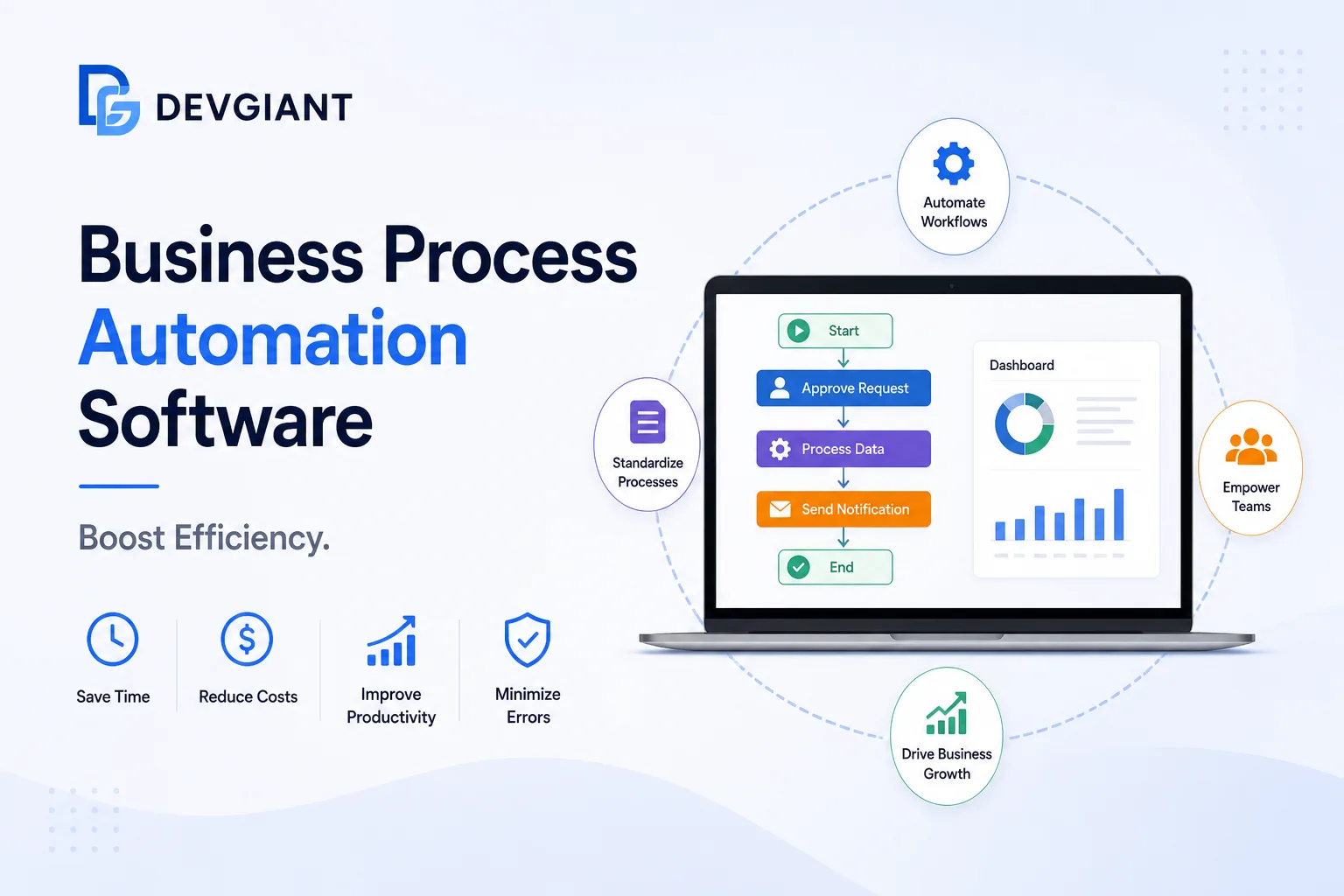
The heart of any automation system is the workflow engine. It defines the sequence of steps, decision points, and parallel tasks that make up a process. Modern engines support visual designers, conditional logic, and event‑driven triggers, allowing non‑technical users to map complex flows without writing code.
Integration layer
Automation is only as powerful as the data it can access. An integration layer connects your custom software to CRMs, ERPs, accounting platforms, and cloud services via APIs, webhooks, or low‑code connectors. This ensures that information flows automatically between systems, eliminating duplicate entry.
Analytics & reporting
Without insight, you can’t improve. Built‑in analytics capture cycle times, bottlenecks, and error rates. Dashboards turn raw data into actionable metrics, helping you fine‑tune processes and justify automation investments to stakeholders.
Choosing the Right Workflow Automation Tools
- Scalability: Look for platforms that grow with you—supporting everything from a handful of automations to enterprise‑wide orchestration.
- Low‑code vs. code‑first: Low‑code tools accelerate deployment for business users, while code‑first solutions offer deeper customization for complex logic.
- Security & compliance: Ensure the tool meets industry standards (ISO 27001, SOC 2, GDPR) especially if you handle sensitive data.
- Community & support: Active developer communities and responsive vendor support reduce time‑to‑resolution when issues arise.
- Cost model: Compare subscription pricing, per‑automation fees, and hidden costs such as training or integration services.
Real‑World Use Cases
Finance: invoice processing
Manual invoice entry can cost a mid‑size firm up to $15 million annually in errors and delays. By deploying a custom automation system that extracts data from PDFs, validates against purchase orders, and routes approvals, companies cut processing time by 70 % and reduce errors to near zero.
HR: employee onboarding
Onboarding traditionally involves paperwork, IT provisioning, and multiple approvals. An automated workflow sends offer letters, creates user accounts, assigns equipment, and schedules training—all triggered by a single HR entry. New hires report a 40 % faster start‑up experience.
Sales: lead routing
When a lead lands in your CRM, an automated rule evaluates territory, product interest, and lead score, then instantly assigns the prospect to the appropriate sales rep. This reduces response time from hours to seconds, increasing conversion rates by up to 25 %.
Building Custom Automation Systems: A Step‑by‑Step Guide
1. Map the existing process
Document every manual step, decision point, and handoff. Use flowcharts or swim‑lane diagrams to visualize who does what and when. Involve the people who perform the work—they’ll spot hidden complexities that a top‑down view misses.
2. Identify automation opportunities
Prioritize tasks that are repetitive, rule‑based, and high‑volume. Ask: “If this step could be done by software, what would the impact be on cost, speed, and error rate?”
3. Select the platform
Match the identified needs with the core components described earlier. For example, if you need deep ERP integration, choose a platform with a robust API marketplace. If rapid deployment is key, a low‑code solution may be best.
4. Design and prototype
Build a minimal viable automation (MVA) that covers the core flow. Use visual designers to drag‑and‑drop tasks, set conditions, and test with real data. Gather feedback from end‑users early to avoid costly rework.
5. Test, iterate, and scale
Run the MVA in a sandbox environment, monitor performance, and measure KPIs such as cycle time reduction and error rate. Once validated, roll out to the wider organization and continue to refine based on analytics.
Conclusion: Turn Automation Into a Competitive Advantage
Business process automation software is no longer a nice‑to‑have—it’s a strategic imperative. By selecting the right workflow automation tools, mapping processes, and building custom automation systems, you can slash costs, accelerate delivery, and empower your team to focus on growth.
Ready to see how a tailored automation solution can transform your business? Explore our custom services and get a free consultation today. Our experts are standing by to design the automation system that aligns perfectly with your goals.